The Cornell Method: The Note-Taking System That Forces You to Actually Learn
Free spatial notes
Put this workflow on an infinite canvas instead of another linear doc.
Start in the browser with no account. Create an account only when you want to sync what you made.
The Cornell Method: The Note-Taking System That Forces You to Actually Learn
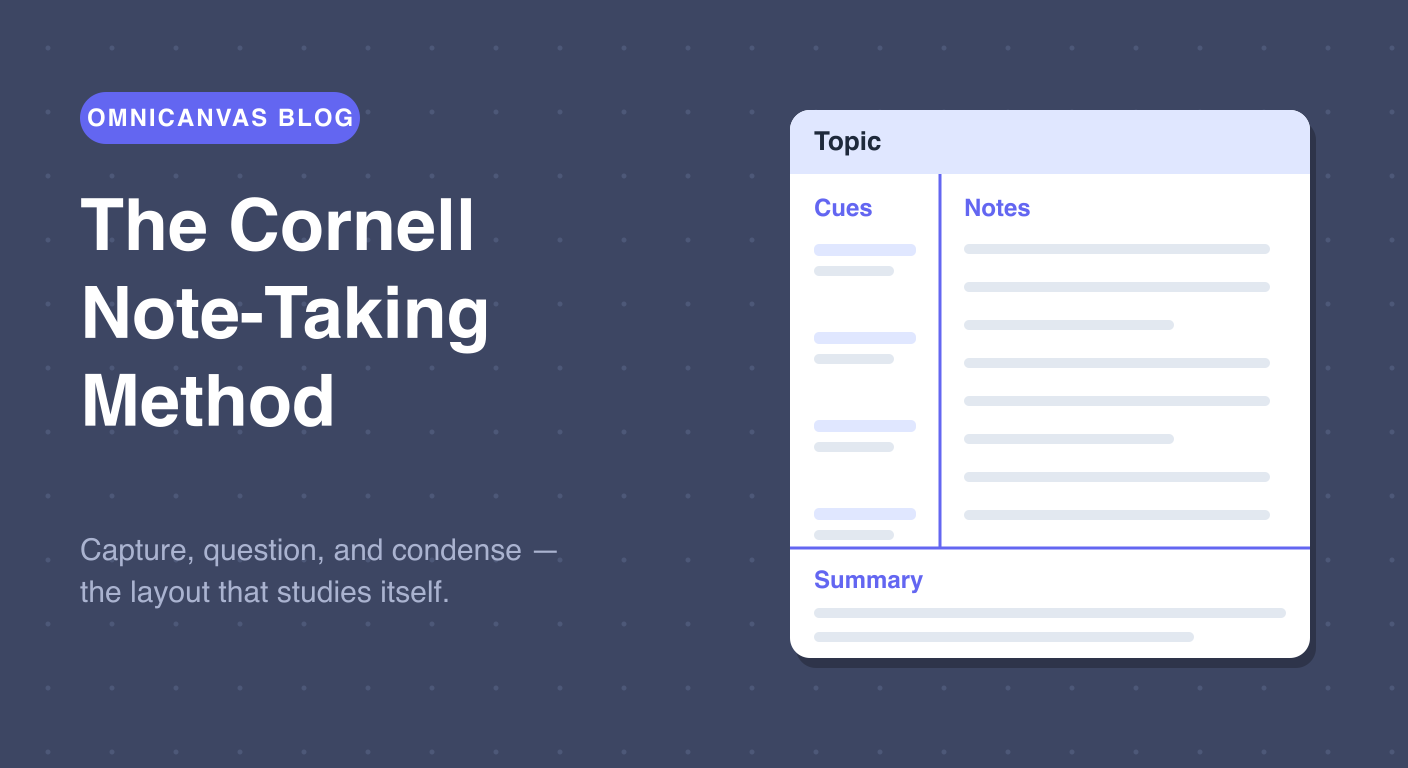
Most notes are written once and never read again. The Cornell method, developed by education professor Walter Pauk at Cornell University in the 1950s, was designed to fix exactly that. It splits every page into three zones that each do a different job: capturing, questioning, and condensing. The result is a page that practically studies itself.
If you want the layout open while you read, start with the free Cornell Notes online template and use this guide as the workflow behind the page.
The Three Zones
A Cornell page has a distinctive layout:
The notes column (right, widest). This is where you write during the lecture, meeting, or reading session. Capture ideas in short phrases, abbreviations, and quick sketches — not full sentences.
The cue column (left, narrow). After the session, you go back through your notes and write questions or keywords in this column. Each cue should point at something in the notes next to it. "What are the three causes of inflation?" or just "inflation causes."
The summary row (bottom). Within a day of taking the notes, you write a two or three sentence summary of the entire page in your own words. If you cannot summarize it, you did not understand it — and now you know that before the exam, not during it.
Why It Works
The Cornell method is not really a layout. It is a schedule disguised as a layout.
The notes column makes you capture. The cue column makes you revisit the material once to generate questions — that is your first review, usually within 24 hours, which is exactly when forgetting is steepest. The summary forces you to compress and rephrase, which is one of the most reliable ways to move information into long-term memory.
Later, studying becomes active instead of passive: cover the notes column, read each cue, and try to answer it from memory. That is retrieval practice — the single most evidence-backed study technique there is — built directly into the page.
Free spatial notes
Open a canvas in the browser — no account needed.
When to Use Cornell Notes
Cornell shines when:
- You will be tested on the material. Lectures, certification courses, technical reading.
- The content arrives in a structured order. A speaker walking through a topic, a chapter with sections.
- You can commit to the follow-up. The cue column and summary only help if you fill them in.
It is less ideal for fast, chaotic meetings where topics jump around (use the Outline Method there) or for open-ended brainstorming and synthesis (that is mind map territory). For a full comparison of when to use which method, see our guide to choosing a note-taking method. For a deeper walkthrough, see the complete guide to Cornell notes, or jump straight to the free Cornell notes generator.
Cornell Notes on an Infinite Canvas
On paper, Cornell notes have a fixed size: when the page is full, it is full. On a spatial canvas the layout keeps its structure but loses its limits.
In OmniCanvas, the built-in Cornell Notes template gives you the classic three-zone layout — topic header, cue column, notes area, and summary band. Because it lives on an infinite canvas, you can:
- Stretch any zone when a lecture runs long. The notes area grows; the structure stays.
- Drop in more than text. Paste a slide screenshot directly into the notes column, then draw on it.
- Link pages together. Keep every lecture of a course on one canvas, side by side, and zoom out to see the whole semester.
- Color your cues. Mark cues you can answer from memory in green and ones you keep missing in red, so each review session targets the right material.
How to Get Started
- Open the Cornell template in OmniCanvas — it starts as a local note with no account required.
- During class or your reading session, write only in the big notes area.
- The same evening, fill the cue column with questions.
- Write the summary before you close the note.
- Before the exam, cover the notes column and quiz yourself with the cues.
Five steps, one layout, and your notes finally do what notes are supposed to do: get the material into your head, not just onto the page.
Try the Cornell Notes template in OmniCanvas
Open a local canvas with the Cornell Notes layout ready to go — no setup or account needed.
Use the Cornell Notes TemplateStart locally, then sign up only to sync — or explore the interactive demo first.
Keep reading
The Outline Method: The Fastest Way to Take Notes in Meetings and Lectures
The outline method is the best technique for live capture — meetings, lectures and calls. How it works, when to use it, and how to start from a template.
TechniquesCornell vs. Outline vs. Box vs. Mind Map: Which Note-Taking Method Should You Use?
A practical guide to choosing between the Cornell method, outline method, box method and mind mapping — plus the capture-then-process workflow.
TechniquesMind Mapping: How to Turn Raw Notes Into Real Understanding
Mind maps are the best tool for making sense of material after a meeting or class. How to build one, why it works, and how to start from a template.