How to Find Hidden Connections in Your Notes
Free, no account
Put this on an infinite canvas — open one free, right now.
Notes, sketches, and ideas anywhere on the canvas, in your browser. Sign up only when you want it synced.
Free forever · 30 days of Pro when you sign up
The Connections Are Usually Already There
Most people who keep notes for a while end up with the same complaint: there is a lot in there, but it doesn't add up to much. What is missing is the view across notes, the moment you notice that a problem from a customer call is the same problem you wrote about in a planning doc two weeks earlier.
You rarely need more notes to get there. The connections are usually already in what you wrote. They stay hidden because each note was written and read in its own context, and nobody has read them side by side.
This is a method for doing that on purpose. It works on paper or in any notes app, and the last section covers tools that help.
Step 1: Put the Material Side by Side
You can't see a connection between two notes if you never look at them together. So start by choosing a scope, then gathering everything inside it into one view.
Good scopes are narrow and real:
- One project, from kickoff to now
- One month of meeting notes with the same team
- Every interview from one round of research
- Everything you have written about one question you keep coming back to
Then lay it out so you can see it all at once: one canvas, printouts on a table, or a split view. The rule is what matters: if you have to remember what another note said, you won't notice the connection.
Step 2: Read Across, Not Down
Normal reading goes down a note from top to bottom. For this, read across notes instead. Pick one idea from the first note and ask: where else does this show up?
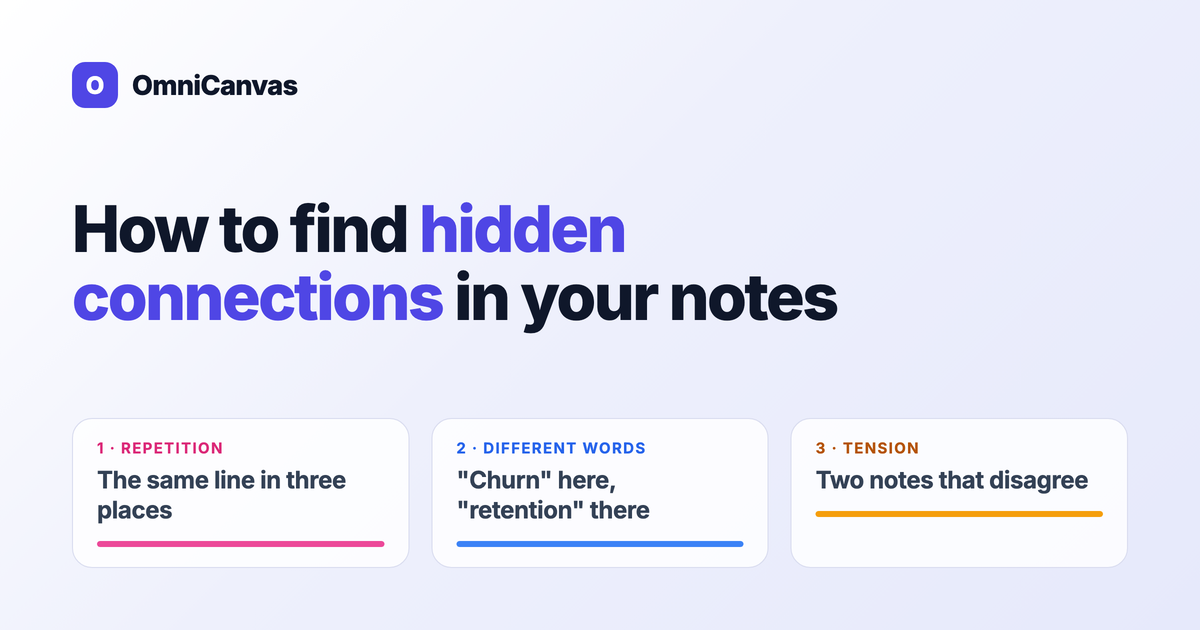
There are three signals worth looking for.
Repetition
The same phrase in more than one place. A to-do copied from a meeting into a task list. A customer's exact wording that turns up in two interviews. A risk that appears in three different planning notes.
Repetition is the easiest signal to spot, and it tells you what keeps coming back. Something you wrote down three times in three contexts probably matters more than your notes currently treat it.
Different words for the same idea
This is where most hidden connections live. One note says "churn", another says "people stop using it after the first week", a third says "retention". Same idea, different words, so a keyword search for any one of them misses the others.
When you find one of these clusters, give it a name. Pick one word and write it next to each instance. Naming is what turns a vague feeling ("I think I've seen this before") into something you can search, tag and link.
Tension
Two notes that disagree. A goal in one note that another note quietly makes impossible. A decision in March that a customer call in May argues against.
Tension is the most valuable signal and the one no tool will find for you, because it depends on what the notes claim, not which words they use. For each cluster you found, ask whether all the notes in it point the same way.
Free, no account
Open a canvas in the browser — no account needed.
Step 3: Make the Connection Visible
A connection you noticed but didn't record is gone by next week. Write it down in a form you will find again:
- Move things together. On a canvas, drag the related notes next to each other. Proximity is the cheapest link there is.
- Draw the line. An arrow between two blocks, with a word or two on it saying why they are connected.
- Write a linking note. A short note that names the connection and says what you think it means. This is the core move in the Zettelkasten method, and it is the step people skip most.
- Link by name. A wiki link or a shared tag, so the connection survives when the notes are far apart. Connecting ideas with links and tags goes into how to choose between the two.
The linking note matters most. The other three record that a connection exists; the linking note records what you concluded from it, and that is the part that turns into an evergreen note you can use again.
Step 4: Repeat It on a Schedule
Doing this once is useful. Doing it regularly is what makes a notes system compound. A connection pass fits naturally into a weekly review: take the notes you wrote that week, put them next to the notes on the same project, and spend ten minutes reading across.
Keep it small: the goal is the two or three connections that change what you do next.
Where Tools Help (and Where They Don't)
Everything above works by hand. Tools help with the tedious part, which is finding repetition and near-repetition across a lot of text. None of them can do the judgment part, which is deciding whether a connection means anything.
Here is what the common tools are good at:
- Full-text search finds every note containing an exact word. Great once you know the word; no help with synonyms. See search tips.
- Tags group notes you have already decided belong together. They record connections rather than discover them. See tagging systems that scale.
- Links, backlinks and graph views show connections someone already made explicit. A knowledge graph is useful for spotting clusters and orphans among them.
In OmniCanvas we added one more tool for the step 2 reading pass, called concept lines. Turn on Concepts on a canvas and it highlights ideas that run through more than one text block or sticky note, and joins them with a colored line. It picks up repeated lines and shared words out of the box. With an optional 23 MB model that runs on your device, it also links different words with the same meaning, such as "revenue" and "sales", which is the second signal above.
It has limits worth knowing. It works within one canvas, not across your whole library. It shows up to eight concepts at a time. It does not appear on phones or windows narrower than 1,024 pixels. And like every tool on this list, it finds overlap, not tension. A line between two blocks tells you they share an idea; whether they agree is still for you to read.
That is the pattern with all of these tools: they handle the text matching and leave the thinking to you. That's the right split, because a connection only becomes useful once you have decided what it means.
A Ten-Minute Version
If you only have ten minutes this week:
- Pick one project.
- Put its notes from the past two weeks side by side.
- Find one phrase that shows up more than once, and one idea that shows up under two different names.
- Write a three-sentence note about what that repetition tells you.
- Link that note to the notes it came from.
That's it. Do it again next week.
Frequently Asked Questions
What is a hidden connection in notes?
It is a relationship between two or more notes that you haven't recorded yet: the same issue raised in different meetings, the same idea written in different words, or two notes that contradict each other. The notes already contain it; you just haven't read them side by side.
How often should I look for connections?
A short pass once a week works well for most people, ideally as part of a weekly review. Keep it small and aim for two or three useful connections, not a complete map.
Can software find connections in my notes automatically?
Partly. Search, graph views and features like OmniCanvas concept lines can find repeated words, shared phrases and, with a meaning model, different words for the same idea. They can't tell you whether two notes agree or conflict, or what a connection means for your work.
What should I do once I find a connection?
Record it where you will find it again: move the notes together, draw a line, link them, and write a short note saying what the connection means. The written note is the part that pays off later.
Ready to try spatial notetaking?
OmniCanvas is a free infinite canvas app for notes, sketches, and ideas. Start locally with no account.
Try OmniCanvas FreeSign up only when you want sync — or explore the interactive demo first.
Keep reading
Cornell vs. Outline vs. Box vs. Mind Map: Which Note-Taking Method Should You Use?
A practical guide to choosing between the Cornell method, outline method, box method and mind mapping — plus the capture-then-process workflow.
KnowledgeWhat Is Personal Knowledge Management (PKM)? A Practical Guide
A comprehensive guide to PKM — what it is, why it matters, and the most popular systems (PARA, Zettelkasten, CODE). Practical getting-started advice.
TutorialsHow to Use the OmniCanvas Knowledge Graph to Discover Hidden Connections
The knowledge graph in OmniCanvas reveals relationships between your notes that you might never notice otherwise. Learn how to use it for deeper thinking.